

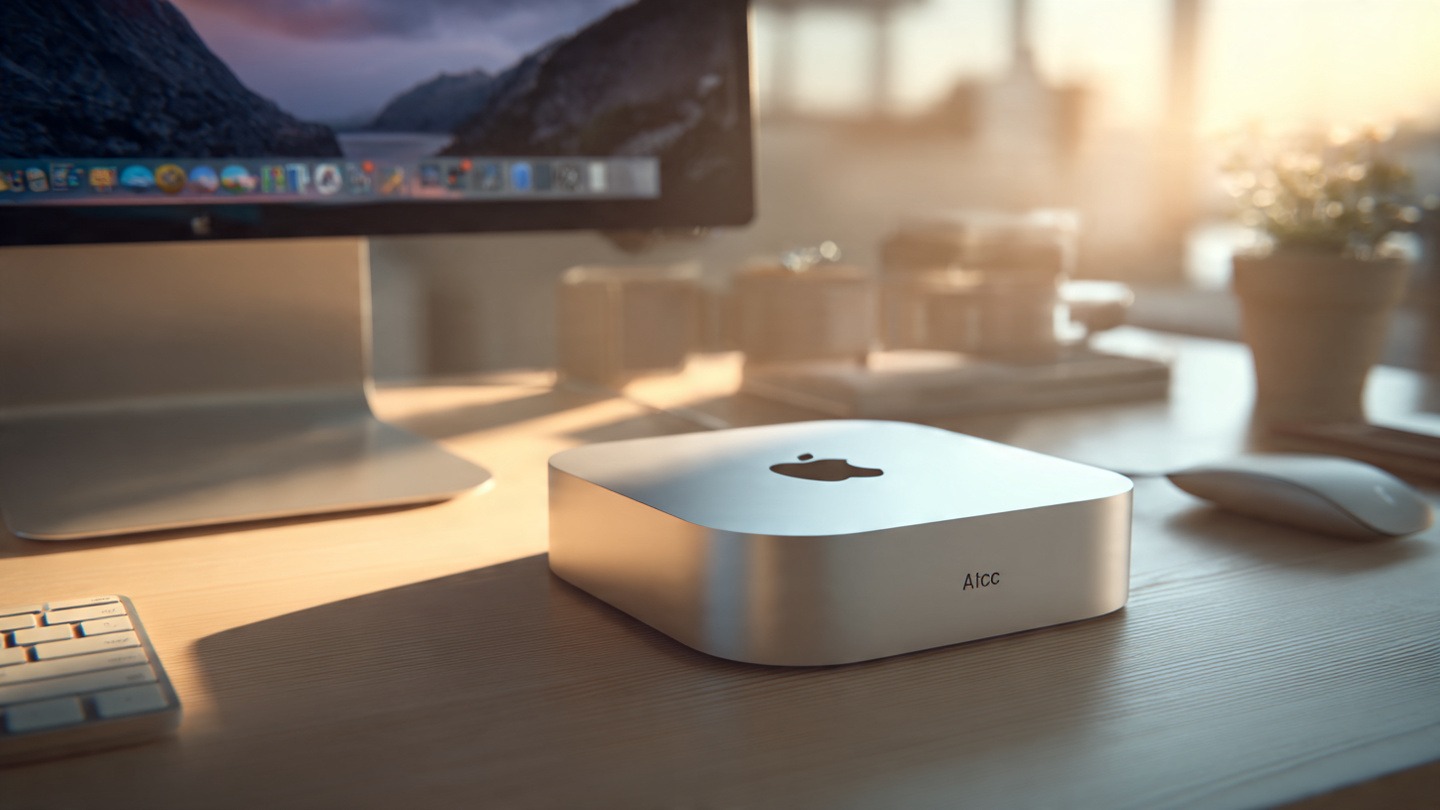
Ever walked into someone’s workspace and noticed a tiny silver box sitting quietly beside the monitor… and wondered how something that small could run an entire desktop setup?
That’s usually the moment people first notice the Mac mini. No flashy tower case. No noisy fans. Just a compact aluminum square doing its job without making a scene.
For years, the Mac mini has been one of those devices people either completely overlook or absolutely swear by. It doesn’t try to look powerful like a traditional PC tower. It simply sits there, connected to a monitor, keyboard, and mouse, quietly proving that desktop computing doesn’t have to be bulky anymore.
And honestly… once you start using one, the idea of a huge desktop tower starts to feel a little unnecessary.
The Idea Behind the Mac Mini Macintosh
When Apple Inc. introduced the Mac mini back in 2005, the concept was surprisingly simple: give people a Mac desktop without forcing them to buy new accessories.
At the time, most Apple computers came as all-in-one systems. Great machines, sure, but expensive and not very flexible if you already had your own monitor or keyboard.
The Mac mini solved that.
Apple basically said: Here’s the computer. Bring your own screen.
And that idea stuck.
Today the Mac mini remains the most affordable entry point into the Macintosh computers ecosystem. It’s still small, still minimal, and surprisingly powerful for something that fits in the palm of your hand.
A Design That Barely Takes Up Space
Let’s talk about the design for a second because… it’s honestly one of the most satisfying parts of the device.
The Mac mini looks like a smooth aluminum square with rounded corners. That’s it. No lights flashing everywhere. No oversized vents.
Place it on your desk and it almost disappears.
That tiny body holds a full desktop computer powered by Apple’s custom silicon chips, including the Apple M2 and the more powerful Apple M2 Pro.
What’s wild is how quiet the machine stays, even when running heavier tasks. You could be editing video, compiling code, or running multiple apps and still barely hear anything.
Some users even mount the Mac mini behind their monitor just to keep their desk clean.
Minimal desk clutter. Maximum performance.
Why People Actually Choose the Mac Mini
Not everyone needs a giant workstation. And that’s exactly where the Mac mini shines.
Here’s what draws people toward it.
Small But Surprisingly Powerful
Don’t let the size fool you.
The latest models powered by Apple silicon perform far beyond what their tiny frame suggests. The M-series chips handle multitasking smoothly and even manage demanding workloads like photo editing, programming environments, or light video production.
A lot of developers actually prefer the Mac mini because it runs the same macOS environment used across Apple devices.
That matters when you’re building apps for iPhone, iPad, or Mac.
It’s the Most Affordable Mac Desktop
Buying a full Apple desktop can get expensive quickly. The Mac mini changes that equation.
You’re only paying for the computer itself.
Use your existing monitor. Use your keyboard. Use whatever mouse you like.
For many people switching from Windows PCs, that flexibility makes the transition a lot easier.
Perfect for Minimal Workspaces
If you like clean setups, the Mac mini feels almost made for that lifestyle.
Designers, writers, developers, and remote workers often build entire workstations around it without sacrificing desk space.
One monitor. One keyboard. Tiny computer. Done.
Real-World Uses That Make Sense
The Mac mini works in more situations than people expect.
Home Office Work
Writers, freelancers, and remote employees love it for everyday tasks. Email, browsing, spreadsheets, document editing — it handles all of that effortlessly.
And since it runs macOS, everything integrates smoothly with iPhones and iPads.
Software Development
Developers often set up Mac mini machines as dedicated coding systems.
Xcode, development servers, and testing environments run smoothly. Some developers even use multiple Mac minis as build servers.
Media and Content Creation
While it’s not meant to replace high-end workstations, the Mac mini still handles photo editing, podcast production, and moderate video editing surprisingly well.
Creative professionals often use it as a secondary machine or editing station.
Home Media Server
And here’s a fun use case.
Some people turn their Mac mini into a media server connected to their TV or home network. Movies, music libraries, streaming — it can manage all of that quietly in the background.
Ports and Connectivity
The back of the Mac mini might look small, but it’s packed with useful connections.
Typical models include:
- Thunderbolt / USB-C ports
- USB-A ports
- HDMI output
- Ethernet connection
- 3.5mm headphone jack
That means connecting monitors, external drives, audio gear, and accessories is straightforward.
Many people even run dual-monitor setups using the Thunderbolt and HDMI outputs.
Mac Mini vs Traditional Desktop PCs
Traditional desktop towers still dominate the PC world. But they come with trade-offs.
Large size. Loud fans. Higher power consumption.
The Mac mini approaches computing differently.
Instead of relying on massive hardware components, Apple’s silicon chips combine CPU, GPU, and memory architecture into a single efficient system.
The result?
Less heat, lower energy use, and surprisingly strong performance.
For everyday users, that difference is noticeable.
Your desk feels quieter. Your workspace feels cleaner.
Things to Consider Before Buying
No computer is perfect. The Mac mini has a few limitations worth knowing.
First, upgrades are limited. The memory and internal storage are fixed when you buy the machine.
So choosing the right configuration upfront matters.
Second, it doesn’t come with accessories. You’ll need your own display, keyboard, and mouse.
But for many people, that’s actually a benefit because it allows more customization.
The Quiet Appeal of the Mac Mini
The funny thing about the Mac mini is that it doesn’t try to impress anyone.
It’s not flashy.
It doesn’t scream power.
It just quietly does its job.
And maybe that’s why so many people end up loving it. It’s reliable, efficient, and simple — the kind of computer that fades into the background while you focus on actual work.
For a lot of users, that’s exactly what a desktop should do.
FAQs
Is the Mac Mini Macintosh good for everyday work?
Yes, absolutely. The Mac mini handles everyday tasks like browsing, office work, and streaming effortlessly. It’s more than powerful enough for home and office setups.
Do you need a monitor with the Mac Mini?
Yes. The Mac mini is sold as the computer only. You’ll need to connect your own monitor, keyboard, and mouse.
Can the Mac Mini run professional software?
It can. Many professional tools like development software, design apps, and editing programs run smoothly on macOS.
Is Mac Mini better than a laptop?
That depends on what you need. If portability matters, a laptop makes more sense. But if you want a dedicated desktop setup with strong performance, the Mac mini is often a better value.
How long does a Mac Mini usually last?
Apple computers typically last many years with proper care. Many users keep their Mac minis running for five to seven years or even longer.
